
If a retailer has rejected your shipment over barcode quality, the report you received probably gave a letter grade — most often C or D — and very little explanation. This is what those grades measure, why a barcode that scans perfectly in your office can still fail, and what you can specify to stop it happening again.
A barcode that scans is not a barcode that passes
The most common misunderstanding in label procurement is treating “it scans” as evidence of quality.
Your handheld scanner is a good scanner. It has strong optics, it will take multiple attempts, and it is being held still by someone who wants it to work. A supermarket POS scanner is reading a barcode moving past at speed, at an unpredictable angle, possibly through a curved surface, on the first attempt.
Verification measures the margin between the barcode you printed and the one that stops working. A barcode can decode reliably on your desk and still sit close enough to the failure threshold that it drops out one time in twenty at the till — which is exactly the rate that gets a supplier flagged.
The grades
Linear barcodes — EAN, UPC, ITF-14, GS1-128 — are graded under ISO/IEC 15416. The verifier takes ten scans across the height of the symbol, grades each on a set of parameters, and averages them.
| Grade | Numeric | What it means in practice |
|---|---|---|
| A | 3.5 – 4.0 | Substantial margin. Scans first time across a wide range of equipment. |
| B | 2.5 – 3.4 | Good. Acceptable to nearly every trading programme. |
| C | 1.5 – 2.4 | The usual minimum. Works, but with little headroom. |
| D | 0.5 – 1.4 | Below most specifications. Expect intermittent failures. |
| F | 0.0 – 0.4 | Fails. |
The critical detail is how the grade is derived: each scan is graded at the level of its worst parameter. A symbol that scores 4.0 on seven parameters and 1.5 on one is a grade C symbol. There is no averaging away a single weak result.
That is why grades often look worse than the print appears. One parameter is dragging everything down, and the fix is usually narrow and specific rather than a wholesale reprint.
2D symbols — GS1 DataMatrix, QR — are graded under ISO/IEC 15415 on a different parameter set, but the A-to-F scale and the worst-parameter logic work the same way.
What actually gets measured
Eight parameters contribute. Four cause nearly all real-world failures.
Symbol contrast — the reflectance difference between bars and spaces at 660nm. This is the one that catches people out on metallised film, clear-on-clear, and any design where the bars are not truly dark.
Modulation — how cleanly bars and spaces separate across the whole symbol. Ink spread on absorbent stock erodes this first.
Decodability — how closely printed bar and space widths match the theoretical geometry. This is where press gain shows up.
Defects — voids in bars, spots in spaces. Pinholing, hickeys, substrate inclusions.
The remaining four — decode, minimum reflectance, minimum edge contrast, and the quiet zone check — are largely pass/fail, and when they fail they fail hard.
Why grades drop, in order of how often we see it
The bars are the wrong colour. Verification uses red light at 660nm. Red, orange, yellow and light brown are effectively invisible at that wavelength — a red barcode on white reads as a blank space. Black is safest. Dark blue and dark green work. This is a design decision made months before printing, and it cannot be fixed on press.
The quiet zone has been encroached. The clear margin either side of the symbol is part of the symbol. Artwork that pushes a border, a graphic, or another element into it fails regardless of print quality. On EAN-13 the left quiet zone needs eleven times the X-dimension; it is routinely designed out.
Ink spread on absorbent substrates. Uncoated and semi-coated papers absorb ink, bars grow, spaces narrow, and decodability falls. The remedy is bar width reduction — deliberately narrowing the bars in prepress to compensate for the gain your specific press, plate and substrate combination produces. Getting the BWR right is press-specific knowledge, not a universal number.
Magnification set too small. EAN-13 at 100% magnification is 37.29mm × 25.93mm. The permitted range runs from 80% to 200%. Designers under space pressure shrink towards 80%, where every printing tolerance matters proportionally more. If a pack is tight, reducing bar height is usually less damaging than reducing magnification — though truncation has its own limits.
Direction of print. Bars running perpendicular to the web (“ladder”) and parallel to it (“picket fence”) gain differently on a flexo press. A symbol that grades A one way can grade C rotated ninety degrees, on the same job.
Laminate and varnish. Gloss finishes create specular reflection that can defeat a scanner at certain angles even when the underlying print grades well.
What to specify
Most trading programmes reference the GS1 General Specifications, which express the requirement as a three-part notation such as 1.5/06/660:
- 1.5 — minimum overall grade (equivalent to C)
- 06 — measuring aperture in thousandths of an inch
- 660 — illumination wavelength in nanometres
All three matter. A grade quoted without aperture and wavelength is not a complete specification, because the same symbol measured through a different aperture produces a different grade.
If your customer’s specification says only “grade C”, ask which aperture. If they cannot tell you, 1.5/06/660 is the reasonable default for retail POS symbols.
How we verify
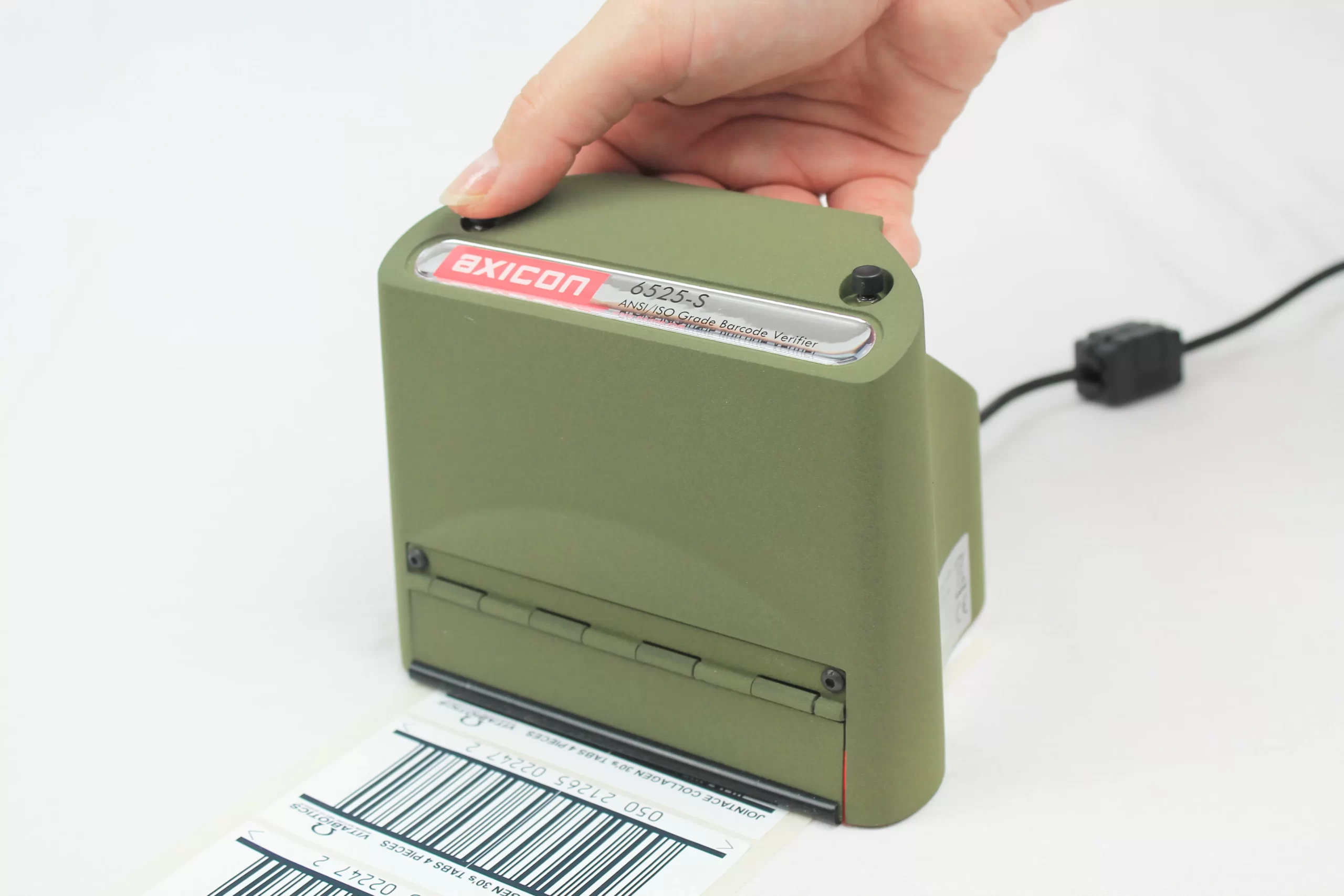
We verify on an Axicon 6525, an ISO/IEC 15416-compliant verifier, covering EAN and UPC retail symbols and GS1-128 for logistics and secondary packaging.
Our internal target is grade A, not the grade C minimum most specifications permit. The reason is margin. A symbol leaving our floor at grade A has room to lose quality through the rest of its life — packing, transit, humidity, abrasion, the shrink film it ends up under — and still scan reliably at the point of sale. A symbol despatched at exactly grade C has none.
Verification reports are available on request, with the grade and the individual parameter results for the job.
Separately from sample verification, jobs with run lengths above 2,000 metres receive 100% inline inspection on 4K camera systems. This is worth distinguishing clearly, because the two are often conflated:
- Verification measures barcode quality against the ISO standard, on a calibrated instrument, on sampled labels. It answers “does this symbol meet specification?”
- 100% inline inspection checks every label on the web during production for print defects and code errors. It answers “did anything go wrong during the run?”
You want both. Verification without inspection means a good sample and unknown variation across the reel. Inspection without verification means consistent labels that may be consistently out of specification.
If a shipment has already been rejected
Get the verification report, not just the grade. The grade tells you the symbol failed; the parameter breakdown tells you why, and the why determines whether this is a reprint, an artwork change, or a substrate change.
Low symbol contrast on a metallised stock is an artwork or material problem and reprinting on the same specification will fail again. Low decodability with everything else strong is a press compensation problem and is genuinely fixable on the next run. Quiet zone failures are always artwork.
If you are unsure which you are looking at, we are happy to look at a report and give you an honest read, whether or not we printed the labels.
Rishab Jain is a partner at Jain Transfer Products, a self-adhesive label manufacturer in Noida, Delhi NCR, established in 1982. The company supplies pharmaceutical, FMCG, automotive, cosmetics, electronics and consumer durable brands across India.
Need barcode labels verified to a stated grade? Get in touch — tell us the substrate, symbology and application, and we will tell you what is achievable before you commit to artwork.
